
In 2026, home servers have evolved from simple media repositories into the backbone of our digital lives. Whether you are hosting self-hosted AI models, managing vast personal photo archives, or securing sensitive home automation data, the risk of data loss is higher than ever. If you aren’t protecting your data with a persistent backup strategy, you are essentially one hardware failure away from a digital catastrophe.
This guide explores how to implement a bulletproof backup solution tailored for modern home server environments. By leveraging automation, encryption, and the time-tested 3-2-1 backup rule, you can ensure your data remains accessible, recoverable, and secure against any threat.
The Foundation: Understanding the 3-2-1 Backup Rule
The 3-2-1 backup rule remains the gold standard for data resilience in 2026. It is a simple yet powerful framework designed to minimize the risk of data loss due to hardware failure, theft, or natural disasters.
- 3 copies of your data: Always maintain three total copies (your primary data plus two distinct backups).
- 2 different media types: Store your data on at least two different types of hardware (e.g., an internal NVMe array and an external high-capacity SSD).
- 1 offsite copy: Keep one copy in a different physical location, such as a cloud storage provider or a secondary site at a friend’s house.
Automating Your Workflow for Consistency
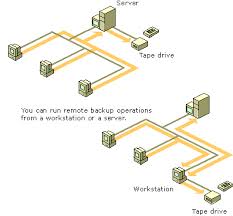
Manual backups are the primary cause of data loss. If a process relies on you remembering to plug in a drive, it will eventually fail. In 2026, automated backup scheduling is non-negotiable for a persistent home server setup.
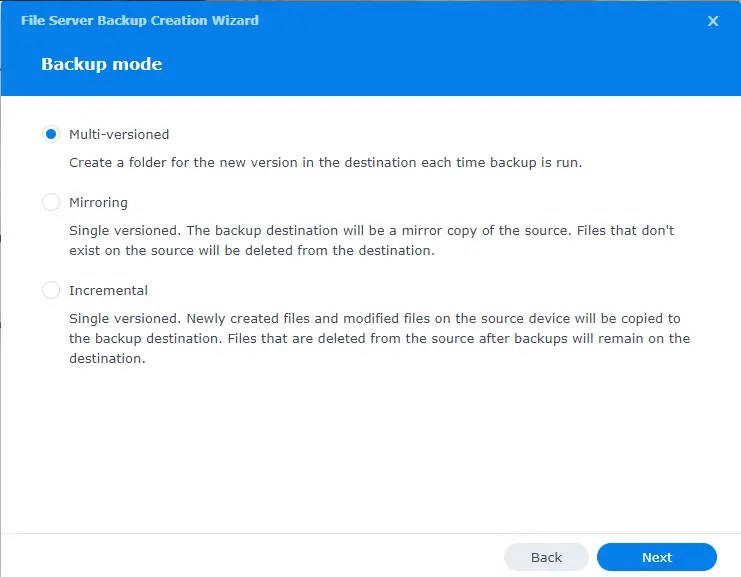
Tools like Proxmox Backup Server, Restic, or BorgBackup allow you to schedule snapshots that run silently in the background. By utilizing incremental backups, you ensure that only the changes in your files are processed, drastically reducing the time and bandwidth required for your daily tasks.
Best Practices for Automated Backups
- Set up monitoring: Configure alerts via email or messaging platforms like Discord/Telegram to notify you immediately if a backup job fails.
- Database-specific backups: Remember that standard file-level backups often corrupt active databases. Use specific tools (e.g., `mysqldump` or Docker-native database snapshots) for services like Home Assistant or Nextcloud.
- Immutable backups: Consider using file systems that support WORM (Write Once, Read Many) or immutable snapshots to protect your backups from ransomware attacks.
Leveraging Hybrid Storage: SSDs and Cloud
A modern home server backup strategy should utilize a mix of high-speed local storage and secure offsite backups. Relying solely on local disks leaves you vulnerable to physical events like fire or floods.
Using encrypted cloud storage (such as Backblaze B2 or Wasabi) provides that crucial “1” in the 3-2-1 rule without requiring you to manage physical hardware at a secondary location. For local backups, high-speed external NVMe SSDs provide the best balance of speed and reliability for quick recovery during a catastrophic system failure.
The Importance of Encryption and Security
With the rise of sophisticated cyber threats in 2026, storing backups in plaintext is a massive security risk. Always implement client-side encryption before your data leaves your server.
By encrypting your data at the source, you ensure that even if your cloud provider or external drive is compromised, your personal information remains unreadable to unauthorized parties. Tools like Rclone or Cryptomator are excellent for creating encrypted streams to public cloud storage, keeping your private data truly private.

Testing Your Restore Procedures: The Forgotten Step
The most common mistake home server administrators make is assuming their backups work without ever testing them. A backup is not a backup until it has been successfully restored.
- Quarterly Restore Drills: Once every three months, attempt to restore a random subset of your data to a separate machine.
- Document the Process: Keep a “Disaster Recovery” document that outlines the exact steps to rebuild your server from scratch.
- Verify Integrity: Use software that performs checksum validation to ensure that your backups have not suffered from “bit rot” over time.
Conclusion: Building for the Future
Implementing a persistent backup strategy in 2026 is about more than just hardware; it is about building a habit of resilience. By following the 3-2-1 rule, prioritizing automated scheduling, and ensuring your data is encrypted and verified, you can rest easy knowing your digital life is safe.
Start small if you have to, but start today. A robust backup system is the single most important investment you can make for your home server. Your future self will thank you the moment you need to recover that first deleted file or failed drive.