
Have you ever walked out of a high-stakes meeting only to realize ten minutes later that you’ve forgotten a crucial action item? In the fast-paced professional world of 2026, relying on human memory alone is no longer necessary—or even optimal. Artificial Intelligence has evolved from simple transcription tools into sophisticated “second brains” that capture, analyze, and recall every word spoken in real-time.
Whether you are navigating a complex corporate boardroom or a casual coffee shop brainstorm, AI-powered memory assistants ensure that no insight ever falls through the cracks. This guide explores the most advanced strategies to leverage AI for total conversational recall this year.
The Shift to Ambient Intelligence in 2026
By 2026, the way we interact with AI has shifted from “active prompting” to ambient intelligence. We no longer need to manually hit “record” on a clunky device; instead, AI lives in the background of our digital and physical environments. Multimodal AI models now understand context, tone, and even non-verbal cues, making your meeting summaries more accurate than ever before.
Using AI to remember conversations isn’t just about text; it’s about capturing the essence of an interaction. Modern tools can now distinguish between five different speakers in a crowded room and assign tasks based on the specific promises made during the talk.
Step 1: Leveraging Built-in AI for Virtual Meetings
If your work happens primarily on platforms like Zoom, Microsoft Teams, or Google Meet, you already have powerful tools at your fingertips. In 2026, these platforms have integrated native AI that goes far beyond basic captions.
- Enable Native Copilots: Ensure your platform’s AI (like Microsoft Copilot or Google Gemini) is set to “Auto-Record and Summarize.”
- Use Real-Time Querying: During a meeting, you can privately ask the AI, “What did Sarah say about the budget five minutes ago?” to get an instant recap without interrupting the flow.
- Automated Action Items: These tools now automatically sync with your project management software (like Notion, Trello, or Asana), turning “I’ll handle that” into a scheduled task instantly.
Step 2: Capturing In-Person (IRL) Conversations
The biggest hurdle used to be remembering what was said during a walk-and-talk or a lunch meeting. In 2026, wearable AI technology has bridged this gap. Smart glasses and AI pins are now the gold standard for professionals who need to document offline life.
<img alt="Meeting.ai – AI Notes for IRL and Online Meetings" src="https://meeting.ai/image?href=%2Fastro%2Ffeature-2.D2GOSFI1.webp&f=webp” style=”max-width:100%; height:auto; border-radius:8px; margin: 1rem 0;” />
The Rise of Wearable Memory
Devices like the 2026 edition of the Limitless Pendant or integrated smart glasses record audio locally and encrypt it before sending it to the cloud for processing. These devices use directional microphones to focus on your conversation while filtering out background noise in busy cafes.
If you prefer not to wear your tech, high-end smartphone apps now offer “Always-On” passive listening modes. These apps use low-power processing to wait for “trigger phrases” or manual taps to save the last 30 minutes of audio, ensuring you never miss a spontaneous breakthrough.
Step 3: Transform Conversations into Visual Mind Maps
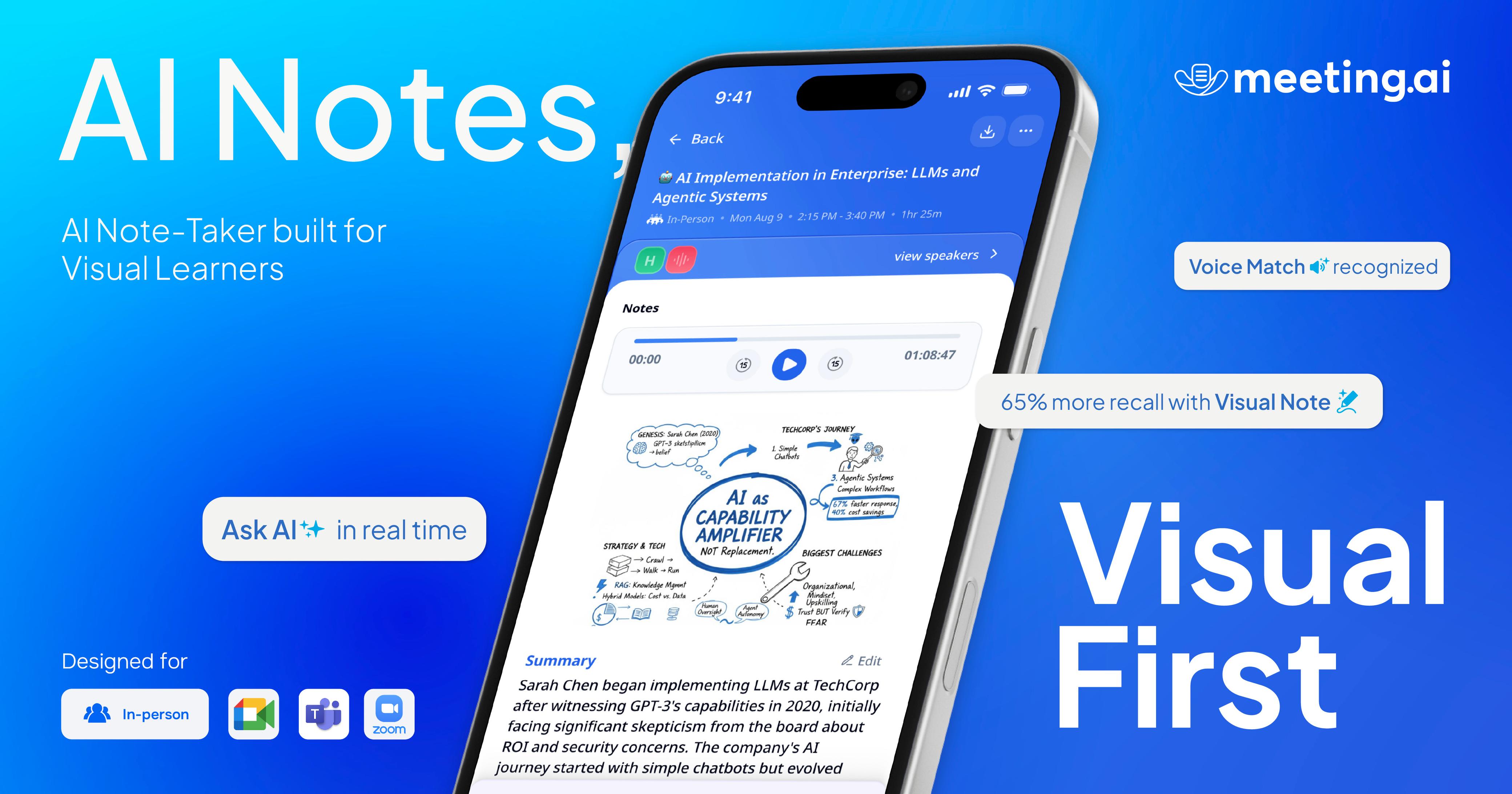
Raw transcripts are often too long to be useful. The most effective way to use AI for memory in 2026 is through visual synthesis. Advanced tools like Meeting.ai can now take a one-hour transcript and instantly generate a dynamic mind map.
These maps allow you to see the hierarchy of the conversation—how one idea branched into three different project paths. By clicking on a node in the mind map, the AI plays back the specific audio snippet associated with that thought. This spatial memory mapping helps the human brain retain information much more effectively than reading a wall of text.
Step 4: Building Your Personal Knowledge Base
To truly “remember” every conversation, you need a centralized location where this data lives. In 2026, this is known as a Personal AI Knowledge Base.
- Integration: Connect your AI note-taker to your “Second Brain” apps like Obsidian or Mem.
- Semantic Search: Instead of searching for keywords, you can ask your AI, “What was that idea I had about the marketing strategy while talking to John last month?”
- Cross-Referencing: The AI will link your meeting notes with your emails and calendar events to provide a 360-degree view of your professional relationships.

The Best AI Note-Taking Tools of 2026
Choosing the right tool depends on your specific workflow. Here are the top-rated apps for this year:
- Otter.ai (Pro Max): Best for high-accuracy live transcription and automated slide capture.
- Fireflies.ai: Excellent for sales teams, offering sentiment analysis and “talk-to-listen” ratios.
- Meeting.ai: The leader in secure, encrypted summaries and visual mind-mapping for executive teams.
- Rewind/Limitless: The best choice for capturing “everything” across both your digital and physical life.
Navigating Privacy and Ethics in 2026
With the power to record every conversation comes a significant responsibility. In 2026, privacy-first AI is the industry standard. Most high-end tools now offer Local-First Processing, meaning the audio never leaves your device unless you explicitly want it summarized in the cloud.
Pro-Tip: Always follow the “Transparency First” rule. Even if your AI pin is subtle, start your meetings with a quick, “I’m using an AI assistant to capture our action items—is everyone comfortable with that?” Most professionals in 2026 appreciate the accuracy it provides.
Conclusion: A Future Without Forgetfulness
The era of “I forgot what we talked about” is officially over. By integrating ambient AI tools, leveraging wearable technology, and utilizing visual mind maps, you can transform your cognitive load. You are no longer a stenographer; you are a participant who can focus 100% on the person in front of you, knowing the AI has the details covered.
Start by choosing one tool this week—perhaps a native integration in your primary meeting app—and watch how your productivity and professional recall skyrocket. In 2026, the smartest person in the room is the one who lets AI do the remembering.